
In This Article
Understanding the Upcoming Meetings Display
Overview
Upcoming Meetings provides a quick view of all meetings you are scheduled to participate in. This feature allows you to see at a glance which meetings are coming up, who owns them, and whether there are any outstanding actions or outdated KPIs that require attention before the meeting. You can easily navigate to any meeting by clicking on it from the list, helping you stay prepared and organized for your scheduled meetings.
Accessing Upcoming Meetings
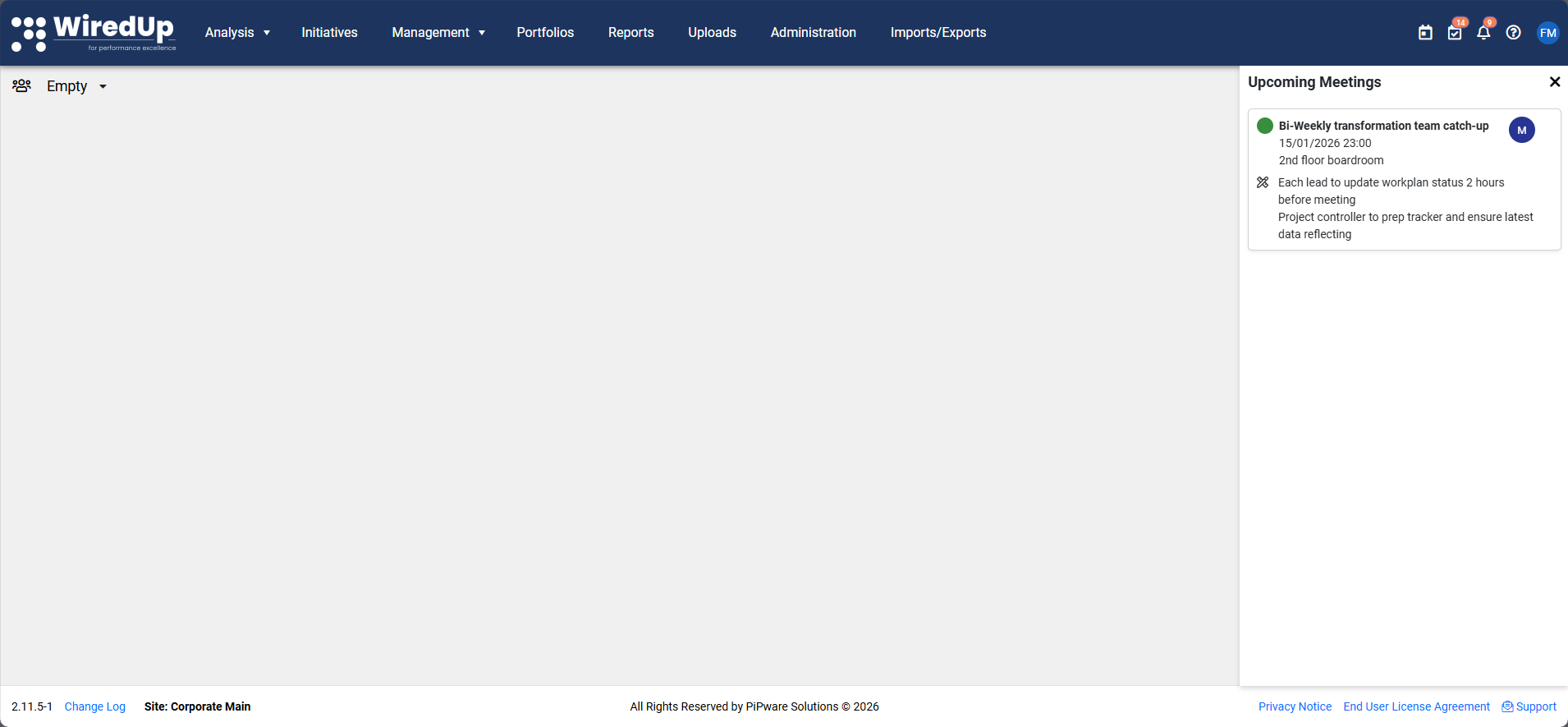
- Locate the Upcoming Meetings icon on the top right of your screen
- Click the icon to open the Upcoming Meetings list
- Your upcoming meetings will be displayed in chronological order
Understanding the Upcoming Meetings Display
Each meeting in the list shows the following information:
Status Indicator
- An amber indicator appears when there are outstanding actions or outdated KPIs linked to the meeting
- This visual cue helps you identify meetings that require preparation or follow-up
Meeting Owner
- Displays the name of the person who owns/organizes the meeting
- Helps you identify who to contact for meeting-related questions
Meeting Details
- Shows the meeting name, date, and time
- Provides essential information about the scheduled meeting
Outstanding Actions
- Click on Outstanding actions to view a dropdown list of pending actions
- This allows you to review what needs to be completed before or during the meeting
Navigating to a Meeting
- Click on any meeting instance from the list
- You will be navigated directly to the meeting capture page
- From there, you can view full meeting details, agendas, and related items
Reviewing Outstanding Actions
- Locate a meeting with outstanding actions in your Upcoming Meetings list
- Click on the Outstanding actions option for that meeting
- A dropdown will display the list of pending actions
- Review the actions to prepare for the meeting
Recommendations
- Check your Upcoming Meetings regularly to stay aware of your schedule
- Pay attention to amber status indicators and address outstanding actions or outdated KPIs before meetings
- Click through to meeting pages in advance to review agendas and prepare appropriately
- Use the Outstanding actions dropdown to prioritize your pre-meeting tasks
- Review outstanding actions early to ensure you have sufficient time to complete them before the meeting