
Overview
You can access and export your Cumulative Benefits data by using the BulkIData Cumulative Benefits API endpoint. To have the ability to export this data, ensure your Role has the permission to Export Cumulative Benefits to be able to use the API. You can navigate to Administration > Roles > select your role > under Permissions, select Export Cumulative Benefits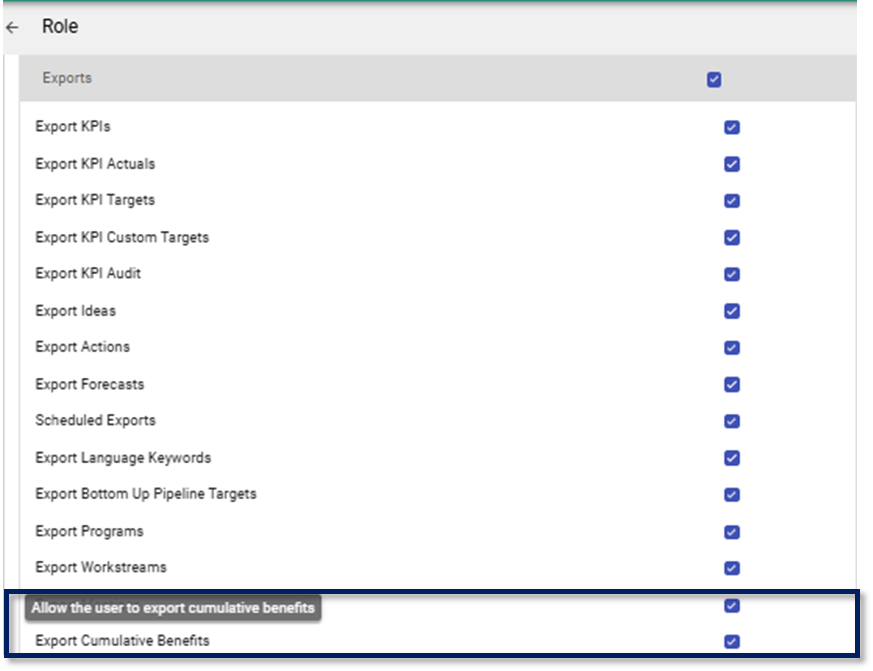
BulkData Cumulative Benefit Endpoint
You can obtain your BulkIdeas API Endpoint by using Swagger (for more information on how to access Swagger, kindly see the following article: How to find the available API Endpoints). Once you have entered the URL, select the BulkData Cumulative Benefits endpoint to view the available parameters.
The following is required for the BulkData Cumulative Benefits API Endpoint (see below as example):

- Your site URL
- The version definition
- The data to include on the API Endpoint
- Your API key (for more information on how to obtain your API key, kindly see the following article: How to access you API Key)
Note: the BulkData Cumulative Benefits API can be accessed on V2, V3 and V4 version definition
BulkData Cumulative Benefits Parameters
These are the currently available parameters on the BulkData Cumulative Benefits API:
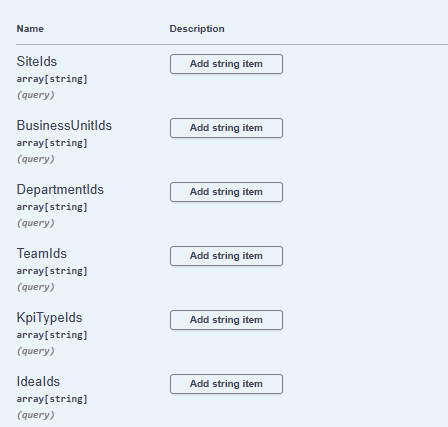
- SiteIds
- BusinessUnitIds
- DepartmentIds
- TeamIds
- KpiTypeIds
- IdeaIds
Note: these primary IDs are system generated. You can define specific primary IDs on V4 by selecting 'Add string item' on Swagger
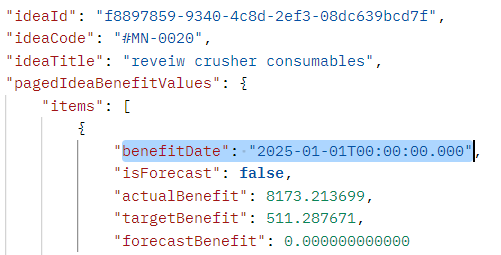
- FromDate - returns data from the date specified onwards
- Periods - returns data from the period specified. The number of items returned
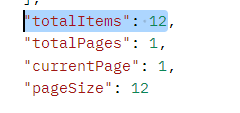
Note: if the number of period is not specified, the API will by default, return data for 12 periods- IsAnnualizedBenefit - returns data based on selection (true/false)
- Tags - return data with the specified tag
- CustomFields - returns data based on the specified custom field
- IdeaTypeId - returns data based on the specified IdeaTypeId
- NonFinancialCategoryId - returns data based on the Non-Financial Category Id specified
- IncludeCompleteIdeas - returns data based on selection (true/false)
Manually Captured Benefit Date
We have introduced a new field called Manually Captured Benefit Date to improve how benefit capture dates are tracked in the system.
What It Does
The Manually Captured Benefit Date records the actual date when you entered or captured an actual benefit value on the Benefit page in the system. This is different from the Benefit Date, which identifies the reporting period (month/year) to which the benefit applies.
How It Works
When you enter multiple benefit values for the same reporting period, the system:
- Aggregates all benefit values for that period
- Sets the Benefit Date to the first day of the reporting period (e.g., 01-02-2026 for February 2026)
- Uses the latest Manually Captured Benefit Date as the capture date for that period
Example
If you enter the following benefits for February 2026:
- $2,000 on 01-02-2026
- $1,000 on 15-02-2026
The system will display:
- Benefit Date: 01-02-2026 (identifies the February 2026 reporting period)
- Manually Captured Benefit Date: 15-02-2026 (the latest date when a benefit was entered)
Total Benefit: $3,000
NB! How the benefit dates are displayed is based on your site Calendar settings
This new field helps maintain an accurate audit trail of when benefit data was entered into the system and ensures benefit values are correctly aggregated and displayed on the Cumulative Benefits report and API.