
In This Article
What Variance Analysis Does Not Do
Using Variance Analysis for Scenarios
Relationship to Other Analysis Types
Common Misinterpretations to Avoid
Overview
Variance Analysis allows you to test specific changes to one or more KPIs and quantify how those changes affect the outcome of a Value Driver Tree. It is used to model scenarios and explore "what-if" questions.
Unlike Sensitivity and Attribution analysis, Variance Analysis lets you define custom changes rather than applying uniform or historical differences.
What Variance Analysis Does
Variance Analysis applies user-defined percentage or absolute changes to selected KPIs and recalculates the Value Driver Tree outcome.
Key characteristics:
- Variances can be applied to individual KPIs or multiple KPIs at once
- Changes can be percentage-based or absolute
- The underlying KPI data and tree structure remain unchanged
This makes Variance Analysis suitable for scenario testing and option comparison.
What Variance Analysis Does Not Do
Variance Analysis:
- Does not update actual KPI values
- Does not change targets or baselines
- Does not represent a forecast unless inputs are explicitly defined as such
- Does not validate whether a scenario is achievable
It quantifies impact, not feasibility.
Understanding the Output
Variance Analysis typically displays:
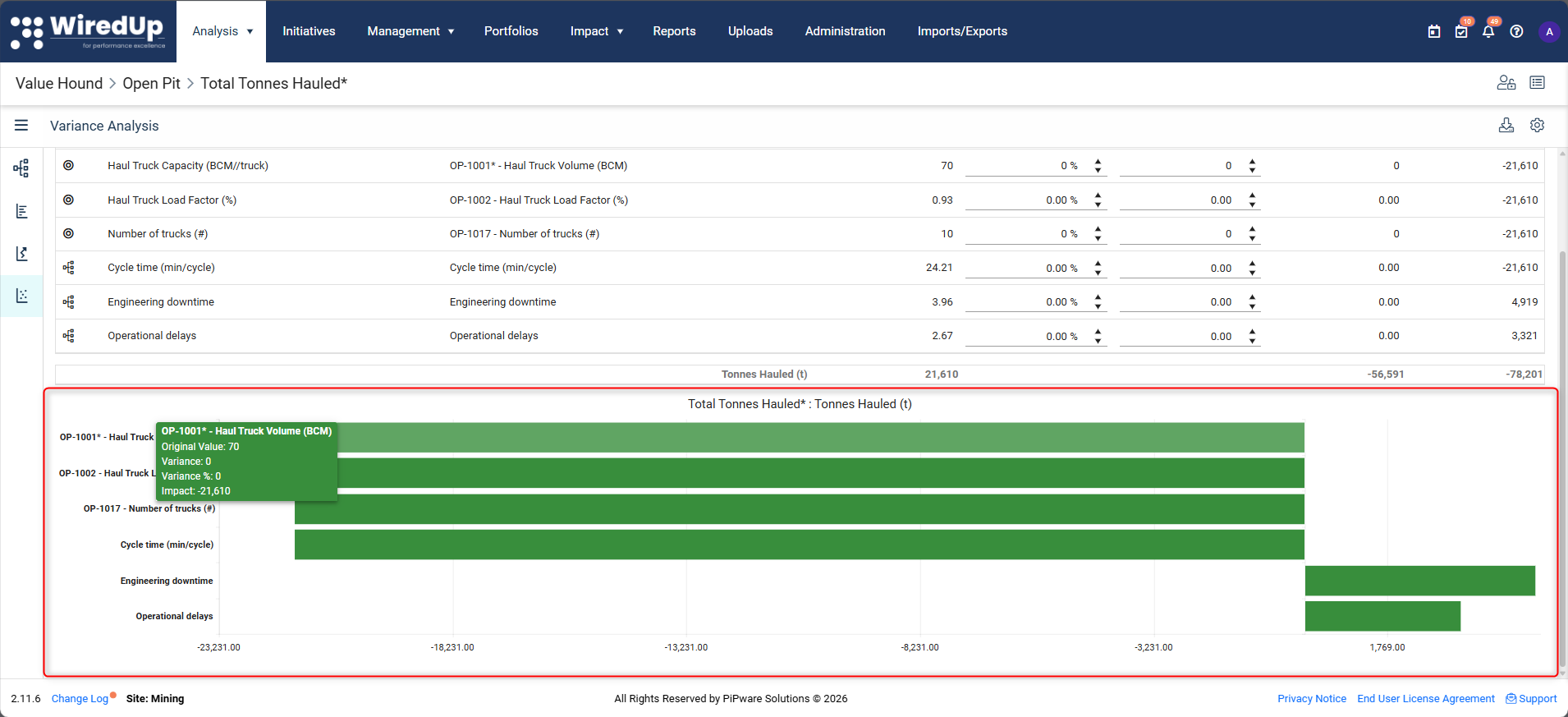
- A comparison chart showing the original outcome and the adjusted outcome
- A table detailing applied variances and resulting impacts
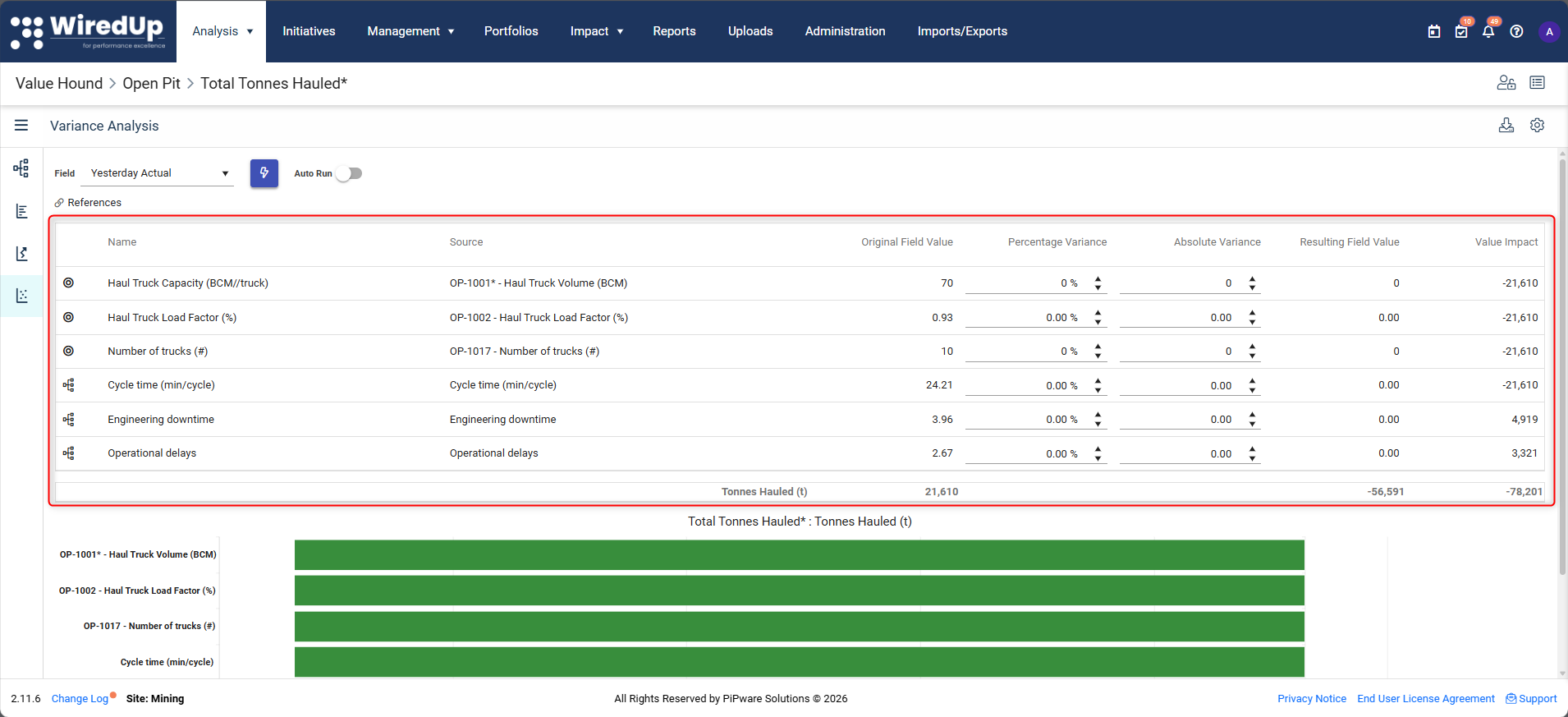
The difference between the original and adjusted outcome represents the combined effect of all applied variances.
Interpreting Scenario Results
When interpreting results:
- The total impact reflects the combined effect of all applied changes
- Individual KPI impacts may interact through the tree structure
- Results are sensitive to the calculation logic and order of operations
Variance Analysis shows what would happen if inputs changed, not how likely those changes are.
Using Variance Analysis for Scenarios
Variance Analysis is commonly used to:
- Test improvement scenarios
- Compare alternative options or strategies
- Understand trade-offs between different drivers
- Support planning and decision-making discussions
Scenarios can include:
- Improving multiple KPIs simultaneously
- Offsetting negative impacts with positive changes
- Testing stretch or conservative assumptions
Relationship to Other Analysis Types
- Sensitivity Analysis identifies which KPIs matter most.
- Attribution Analysis explains what drove past differences.
Variance Analysis is typically used after Sensitivity or Attribution analysis to evaluate options.
Common Misinterpretations to Avoid
- Treating scenarios as commitments or forecasts
- Ignoring dependencies between KPIs
- Comparing scenario results across different VDT structures
- Assuming linear responses in complex models
Variance Analysis answers "what if we changed these drivers?", not "what will happen?"
What Happens Next
At this stage, you can:
- Use Sensitivity Analysis to prioritise drivers
- Use Attribution Analysis to explain performance
- Use Variance Analysis to test scenarios and options
Together, these tools support structured analysis and informed decision-making using Value Driver Trees.
Next Steps
To learn how to interpret Value Hound results, see: