
In This Article
Auditing Changes to KPIs and Ideas
Change Control for Value Driver Trees
What Is Audited vs What Is Governed
Understanding the Impact of Changes
Overview
As KPIs, Ideas, Value Driver Trees, and analysis evolve over time, it is important to understand how changes are governed, tracked, and controlled in WiredUp. This article explains how versioning and auditing work in practice, and where their limits are.
Change Management in WiredUp
WiredUp operates on a single source of truth model.
- There are no local file copies
- There is no manual version numbering
- Changes are applied directly to shared objects
- Updates are immediately visible to all users with access
Governance is achieved through permissions, version controls, and auditability, rather than file-based versioning.
Auditing Changes to KPIs and Ideas
Both KPIs and Ideas include a detailed audit log that records changes over time.
Audit logs capture:
- Configuration changes
- Formula or calculation updates (where applicable)
- Target, baseline, or value updates
- Who made the change
- Date and time of the change
Viewing an Audit Log
To view the audit log for a KPI or Idea:
- Open the KPI or Idea, launching the overview page
- In the toolbar in the top-right corner, select the Audit / Change Log icon
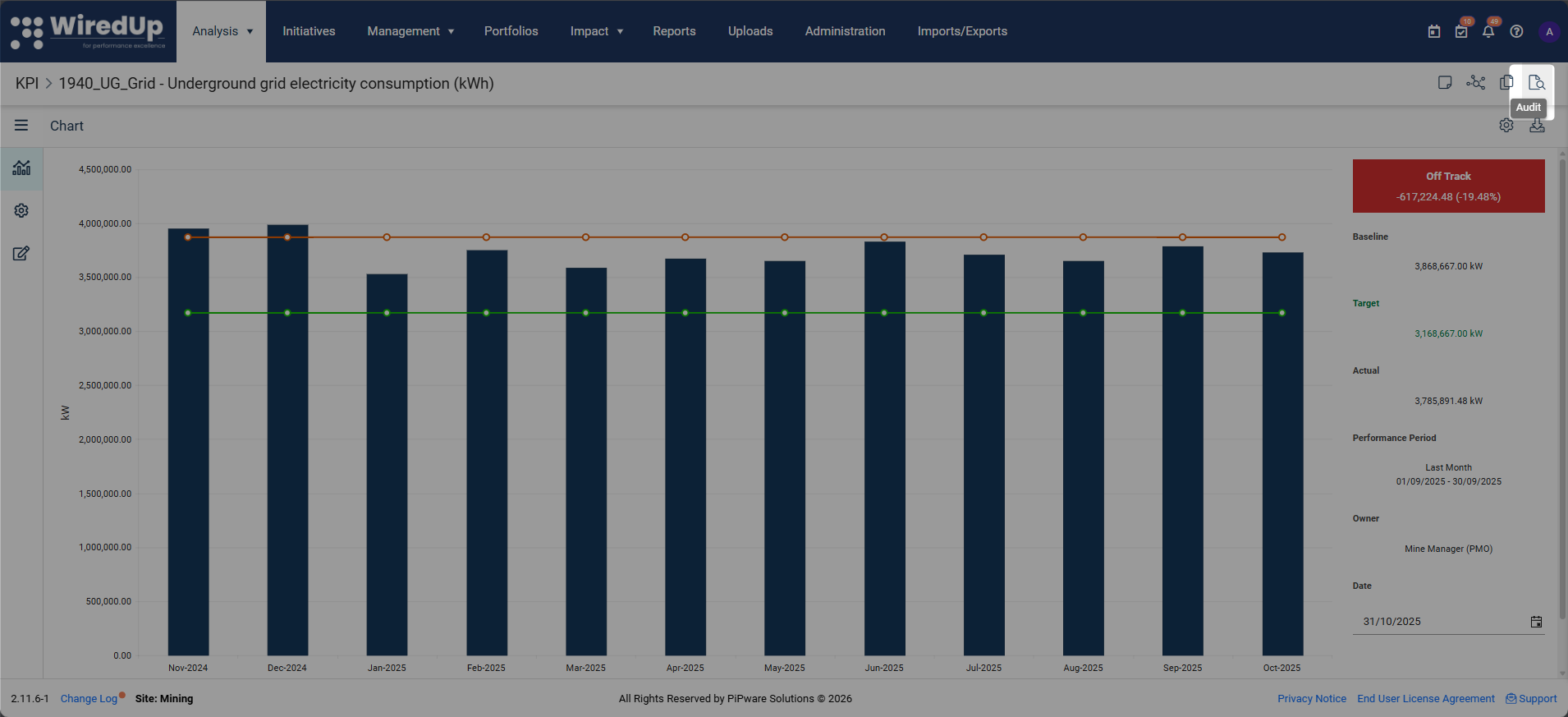
- Review the chronological list of changes
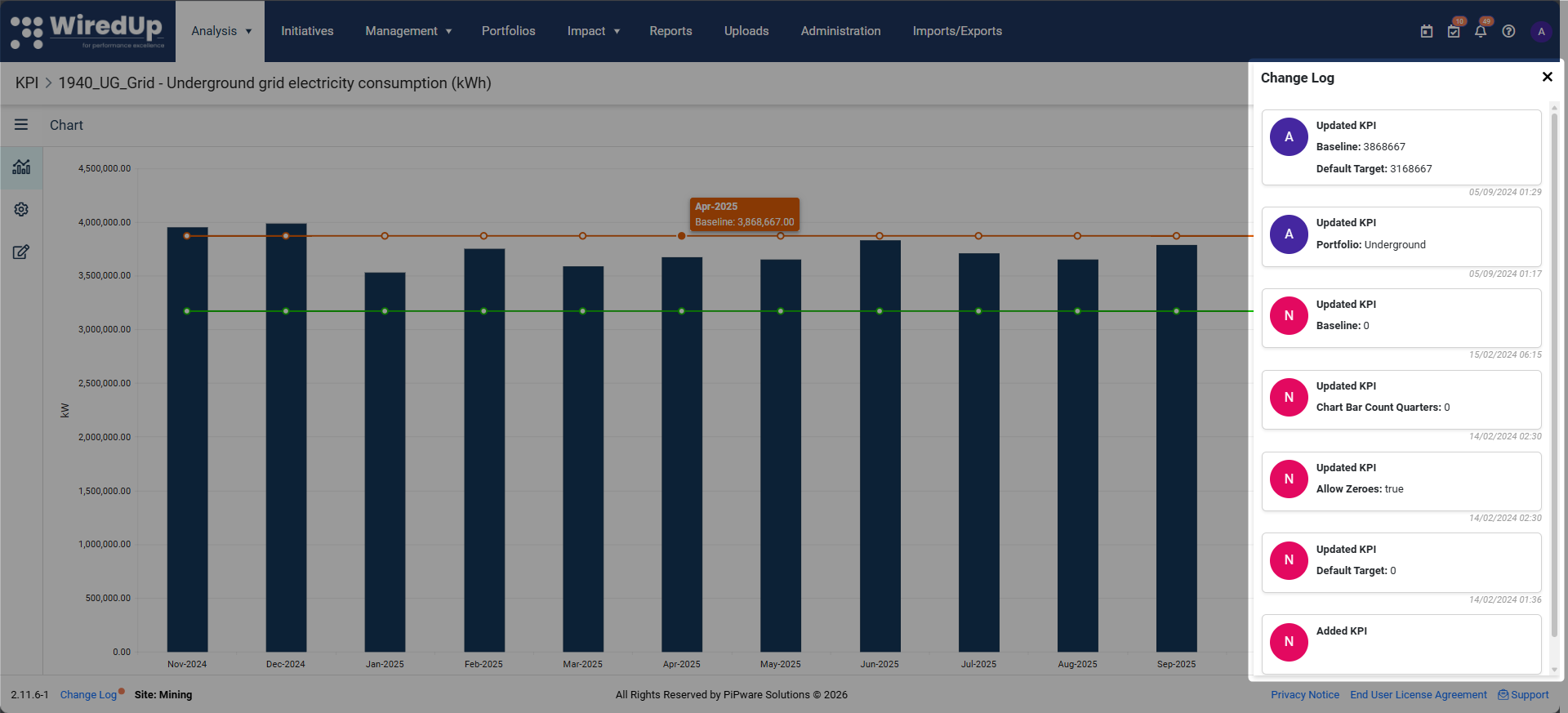
Audit logs are read-only and cannot be edited or rolled back.
Change Control for Value Driver Trees
Value Driver Trees do not currently provide the same object-level audit log as KPIs or Ideas.
Specifically:
- There is no full change history for node edits, formulas, or hierarchy changes
- There is no version comparison or rollback for VDTs
Governance for Value Driver Trees is managed through:
- Role-based permissions (who can edit)
- Private vs public access settings
- Controlled versions via the VDT library (i.e., Revenue VDT V1, Revenue VDT V2, Revenue VDT V3, etc.)
- Process discipline (draft → review → publish)
What Is Audited vs What Is Governed
Object | Audit Log | Governance Mechanism |
KPIs | Full audit log | Roles + audit history |
Ideas | Full audit log | Roles + workflow |
Value Driver Trees | No audit log | Permissions + access + reuse |
Analysis results | No audit log | Re-run analysis as needed |
Understanding the Impact of Changes
Because WiredUp uses shared objects:
- KPI changes affect all Value Driver Trees that reference the KPI
- Idea changes affect downstream planning and tracking
- Value Driver Tree edits affect all users who access that tree
- Analysis outputs update automatically when underlying data changes
Exported files do not update after changes and should be regenerated as needed.
Working Safely with Changes
To manage changes effectively:
- Use private Value Driver Trees for draft or experimental work
- Promote trees to public only when ready for shared use
- Limit edit permissions to appropriate roles
- Create a new version of a VDT using an export/import from the VDT library, if substantial changes are about to be made
This balances collaboration with control.
What Happens Next
You should now understand:
- Which objects have audit logs
- How change control works in WiredUp
- How governance is enforced without file versioning
This completes the section on Collaboration, Outputs, and Governance.
Next Steps
To learn about troubleshooting Value Driver Trees, see: