
In This Article
Overview
A RAR (Results, Actions, Reviews) becomes locked when the current date has passed the RAR series end date. When a RAR is locked, no further updates or entries can be made until the end date is extended or removed.
Why does this happen?
RARs are locked automatically when the system date exceeds the configured RAR series end date. This is a built-in feature to prevent accidental entries in RARs that were intended to conclude on a specific date.
Example: If your RAR series end date is set to 30/04/2026 and today's date is 01/05/2026 or later, the RAR will be locked.
How to unlock a locked RAR
To unlock a RAR and allow it to continue, you need to extend or remove the RAR series end date. Follow these steps:
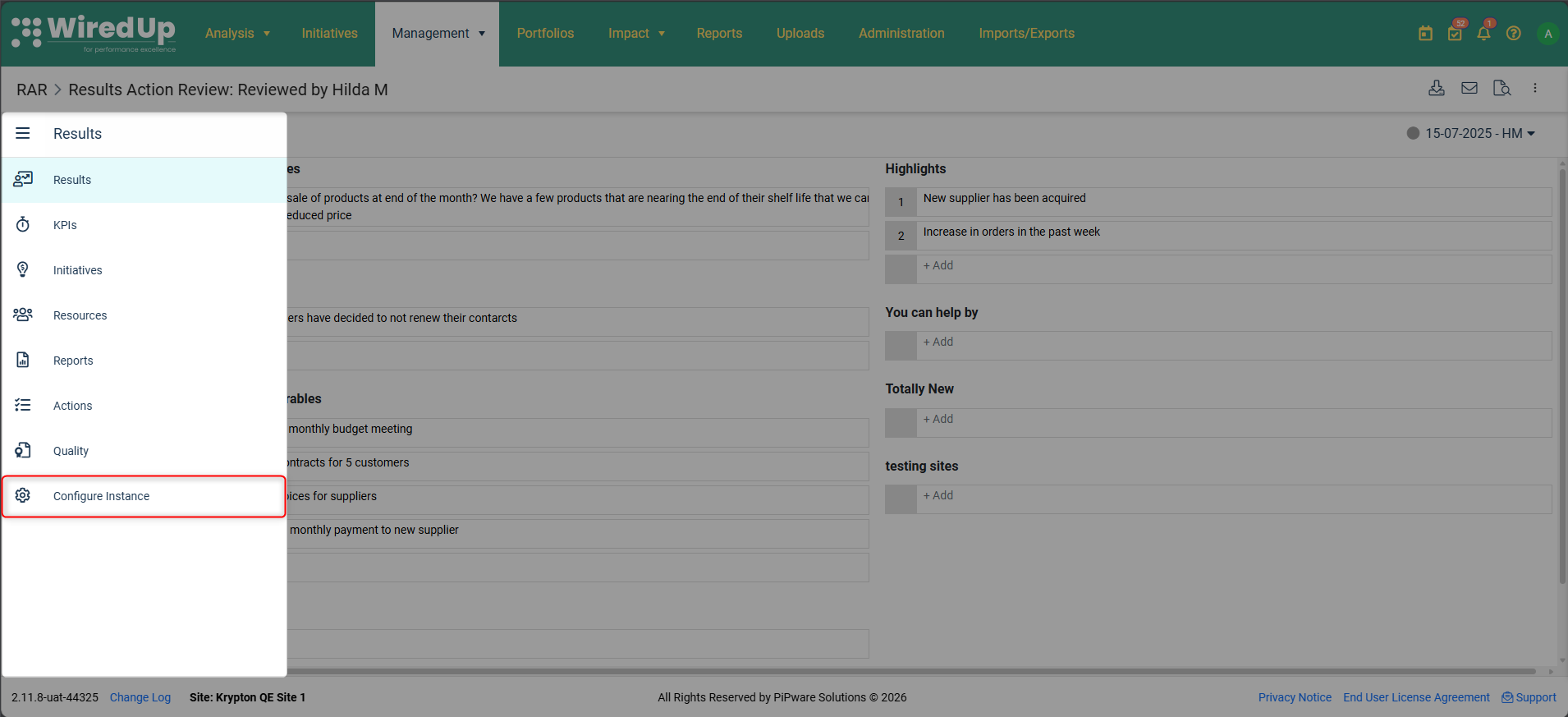 Navigate to Configure Instance - From the RAR menu on the left, select "Configure Instance"
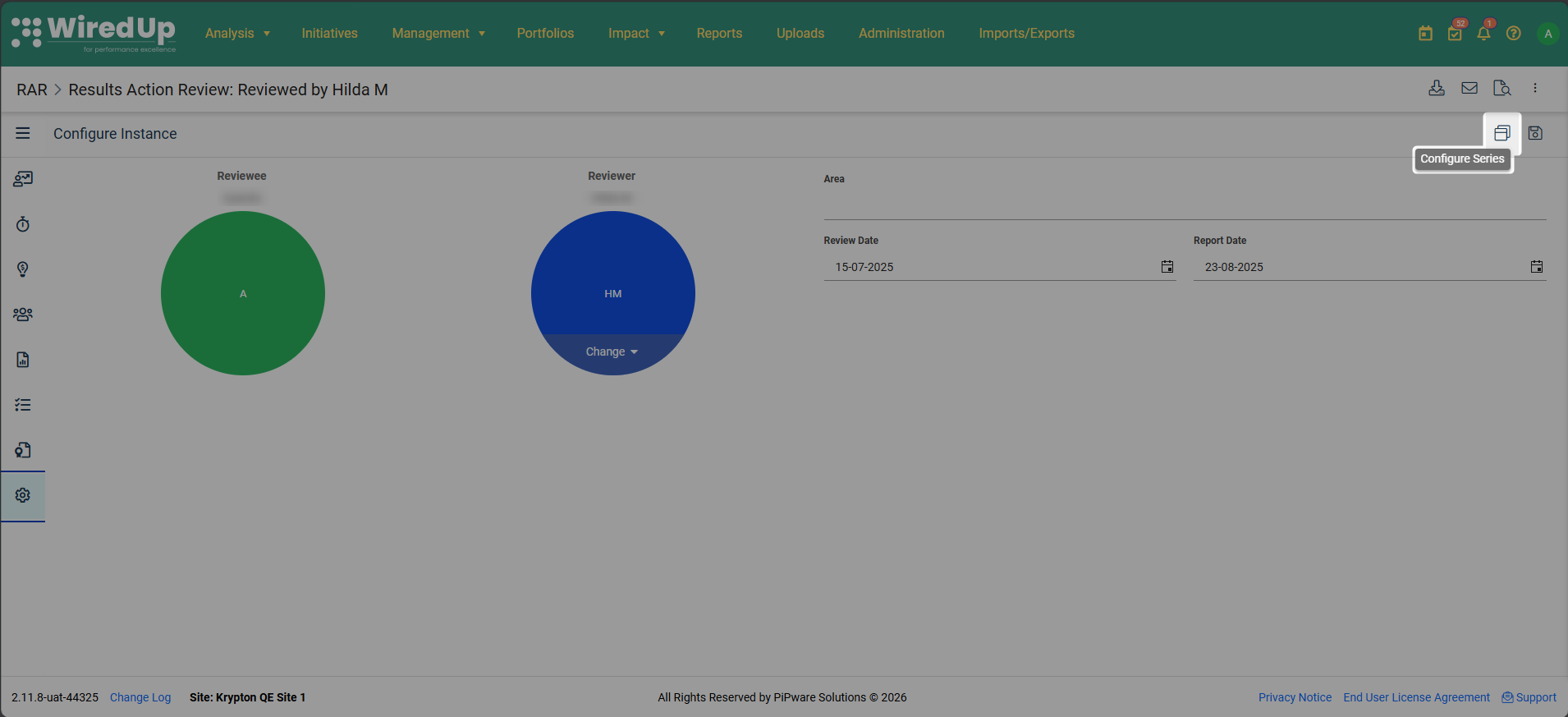 Access Configure Series - On the Configure Instance screen, click the "Configure Series" icon located at the top-right next to the Save button
- Edit the end date- On the Configure Series screen, you have two options:
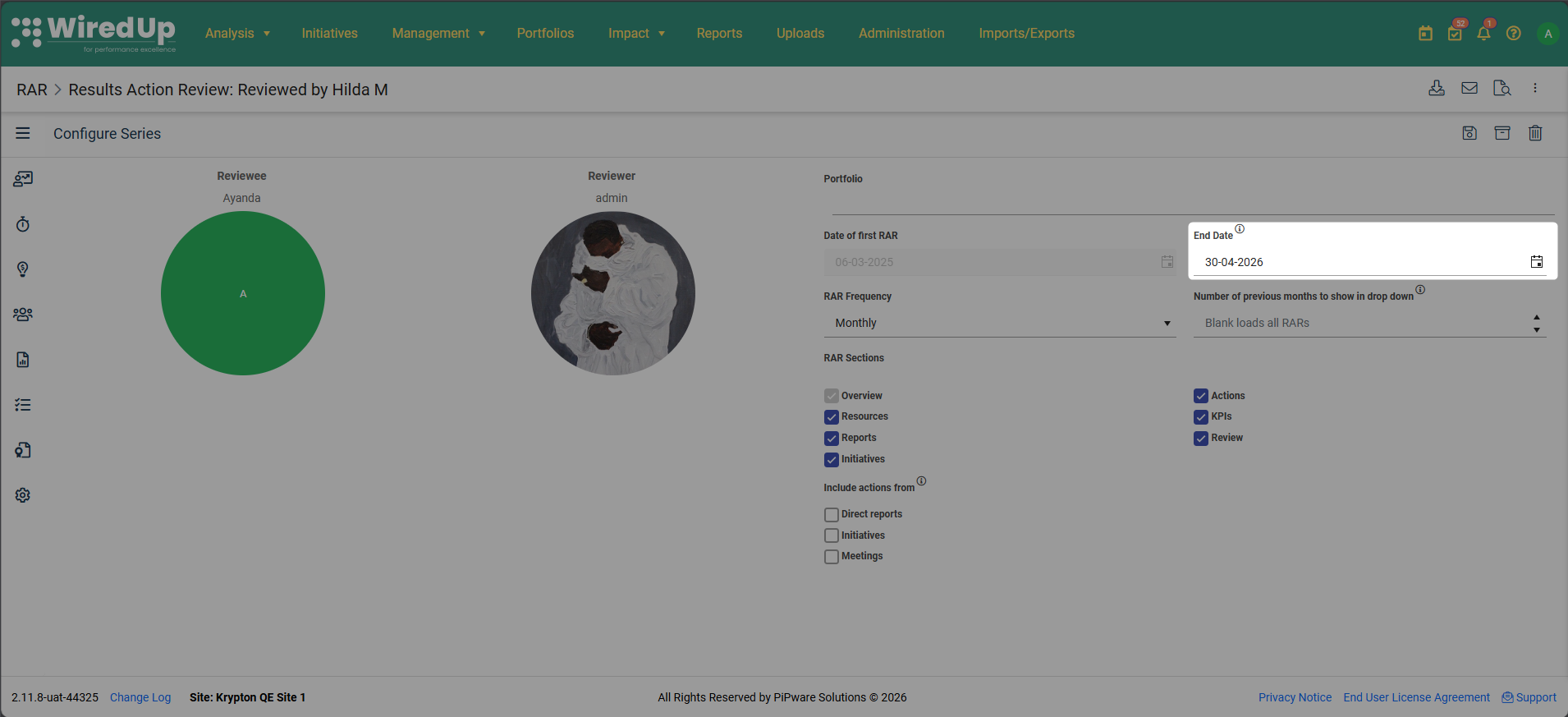
- Edit the end date to a later date if you want the RAR to continue until a specific future date
- Remove the end date completely if you want the RAR to continue indefinitely
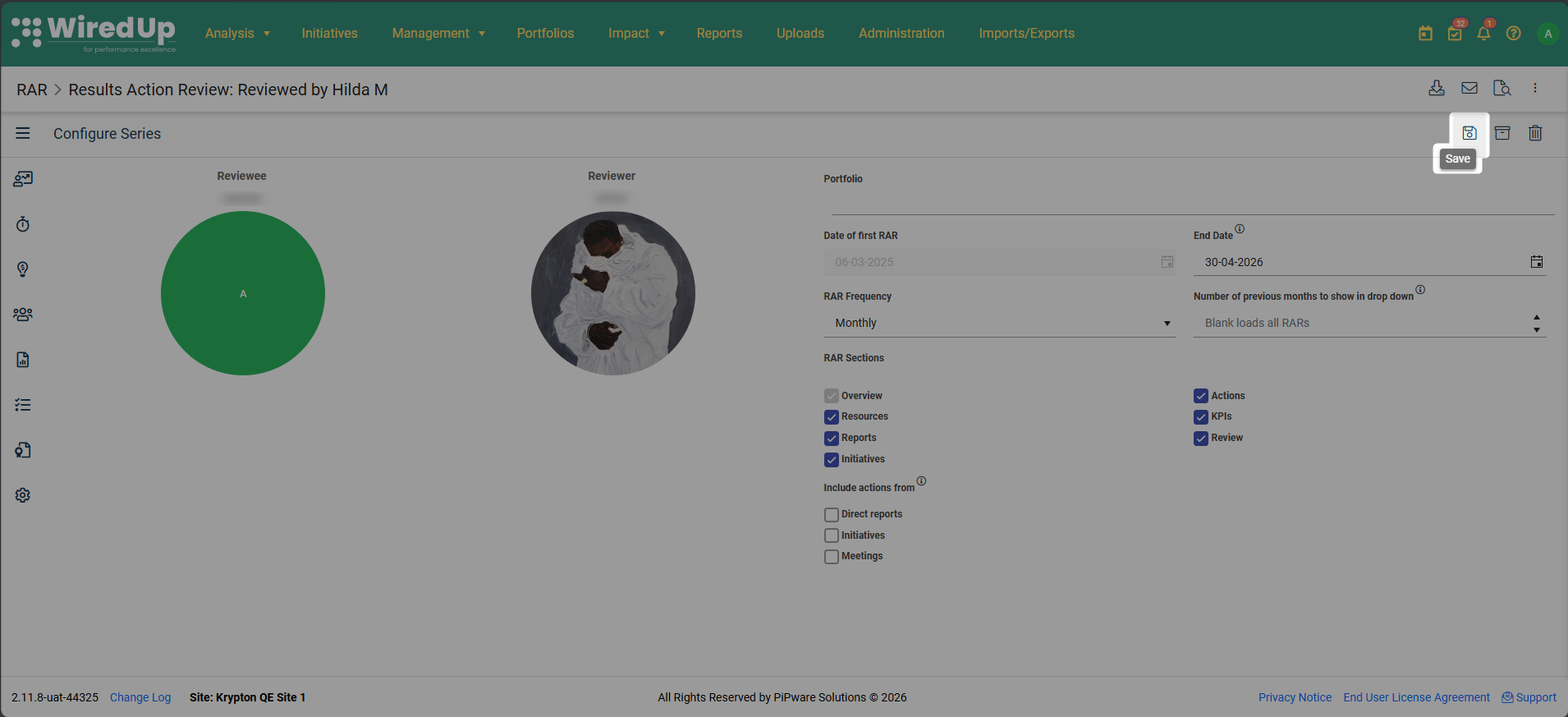 Save your changes - Once complete, click "Save" to unlock the RAR
Best Practices
- Review end dates regularly - Periodically check your RAR series end dates to ensure they align with your ongoing review needs
- Plan ahead - If you know a RAR will continue beyond the current end date, update it in advance to avoid disruption
- Use indefinite dates strategically - For ongoing RARs with no planned conclusion, consider removing the end date to prevent future lockouts
- Communicate changes - If you extend or remove an end date, inform relevant participants so they're aware the RAR will continue