
In This Article
How are Risk Consequences Used?
Can I Customize Risk Consequences?
Overview
Risk Consequences represent the severity or impact level of a risk if it were to occur. They are used in risk assessment to evaluate and prioritize risks based on their potential impact on your projects or initiatives.
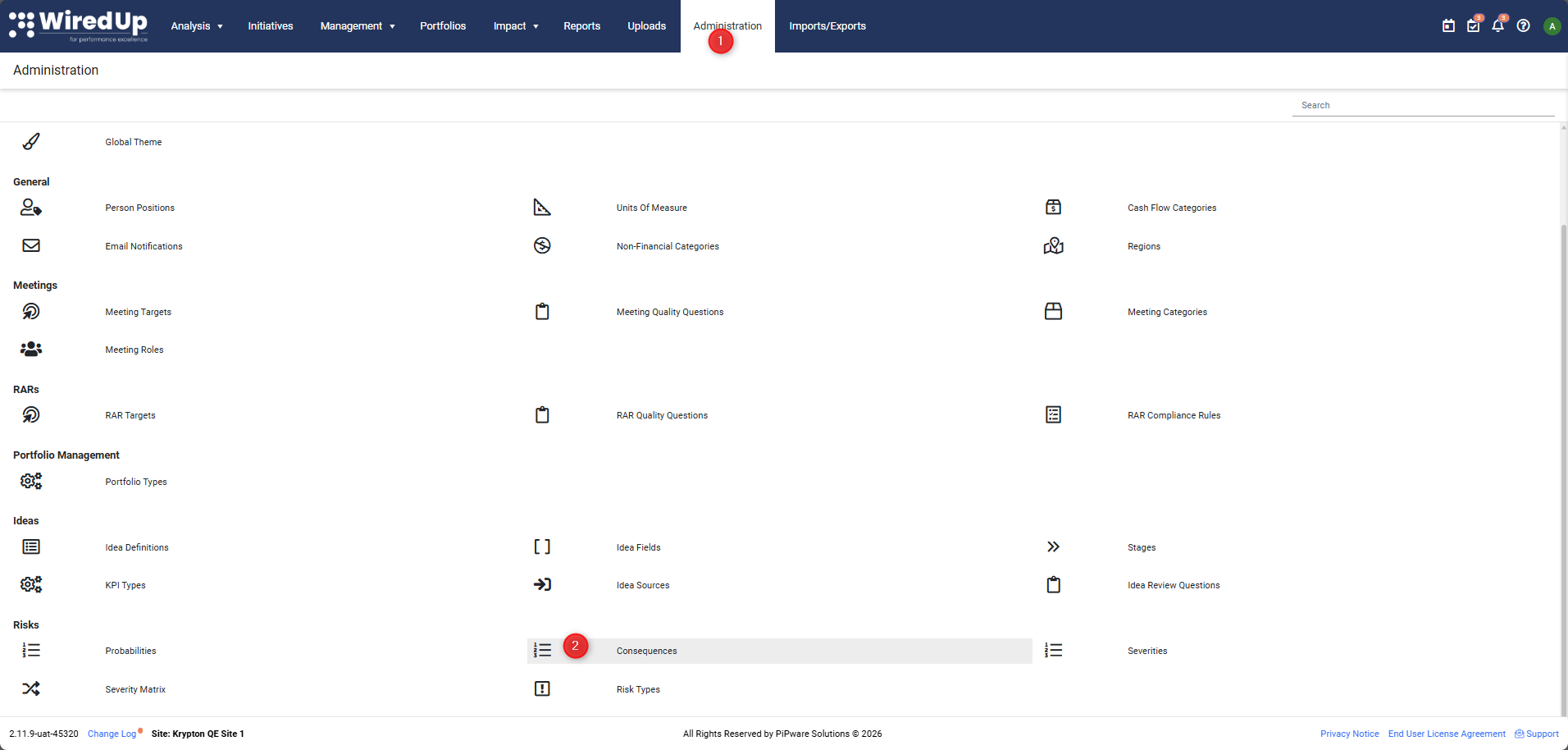
Risk Consequences are available on Administration > Consequences under the Risks group
Default Consequence Levels
WiredUp provides five default consequence levels:
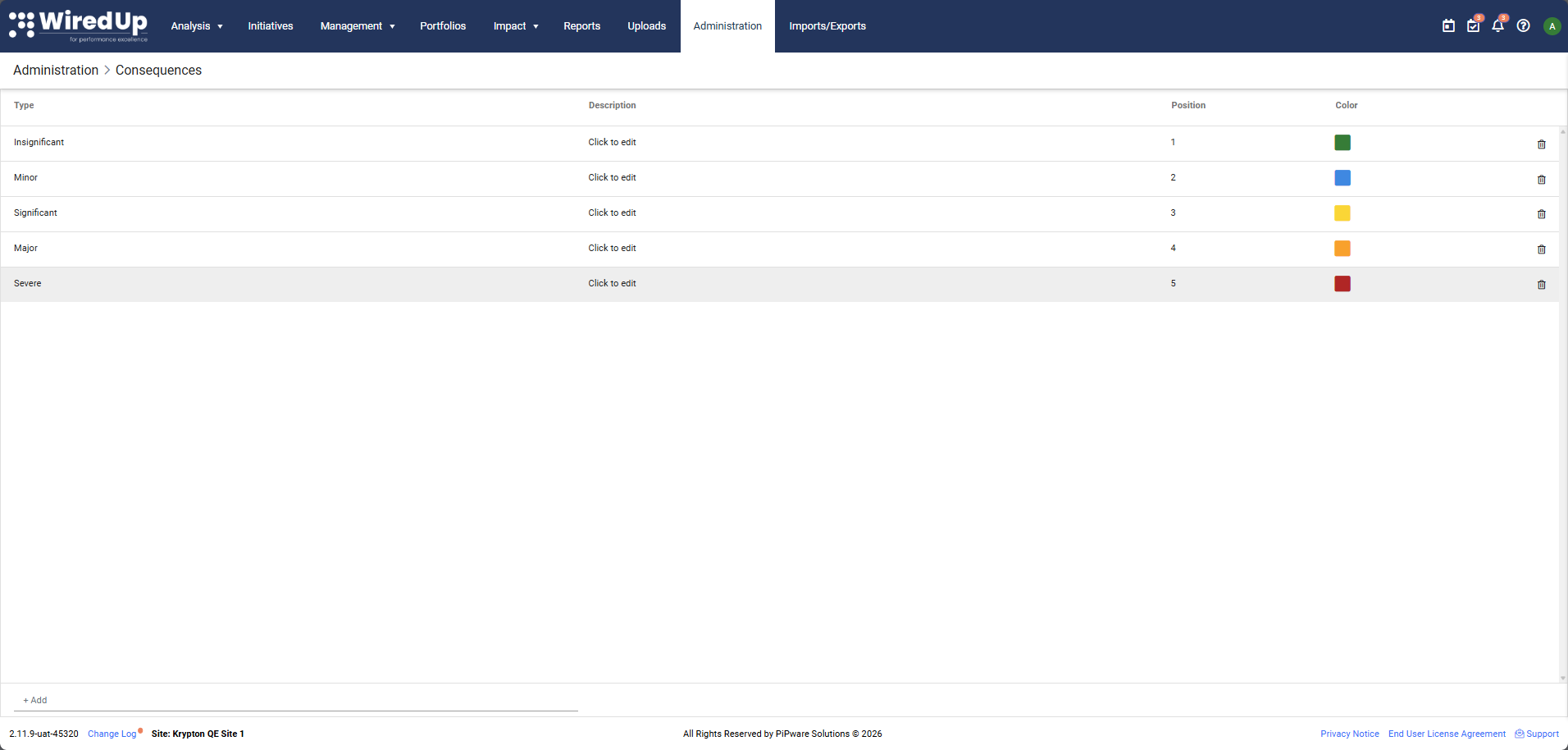
- Insignificant: Minimal impact with negligible effects on project objectives, timelines, or costs.
- Minor: Low impact that can be managed with minimal effort and has limited effect on project success.
- Significant: Moderate impact that requires attention and management, with noticeable effects on project objectives.
- Major: High impact that could significantly affect project success, requiring substantial management effort and resources.
- Severe: Critical impact with potentially catastrophic effects on project objectives, timelines, costs, or organizational goals.
How are Risk Consequences Used?
Risk Consequences are typically combined with likelihood ratings to calculate an overall risk score. This helps you prioritize which risks require the most attention and mitigation efforts in your risk management process.
Can I Customize Risk Consequences?
Yes. The default consequence levels can be fully customized to align with your organization's specific risk management framework and terminology. You can edit existing consequence types, adjust their position and color coding, or add new consequence levels.
To customize Risk Consequences:
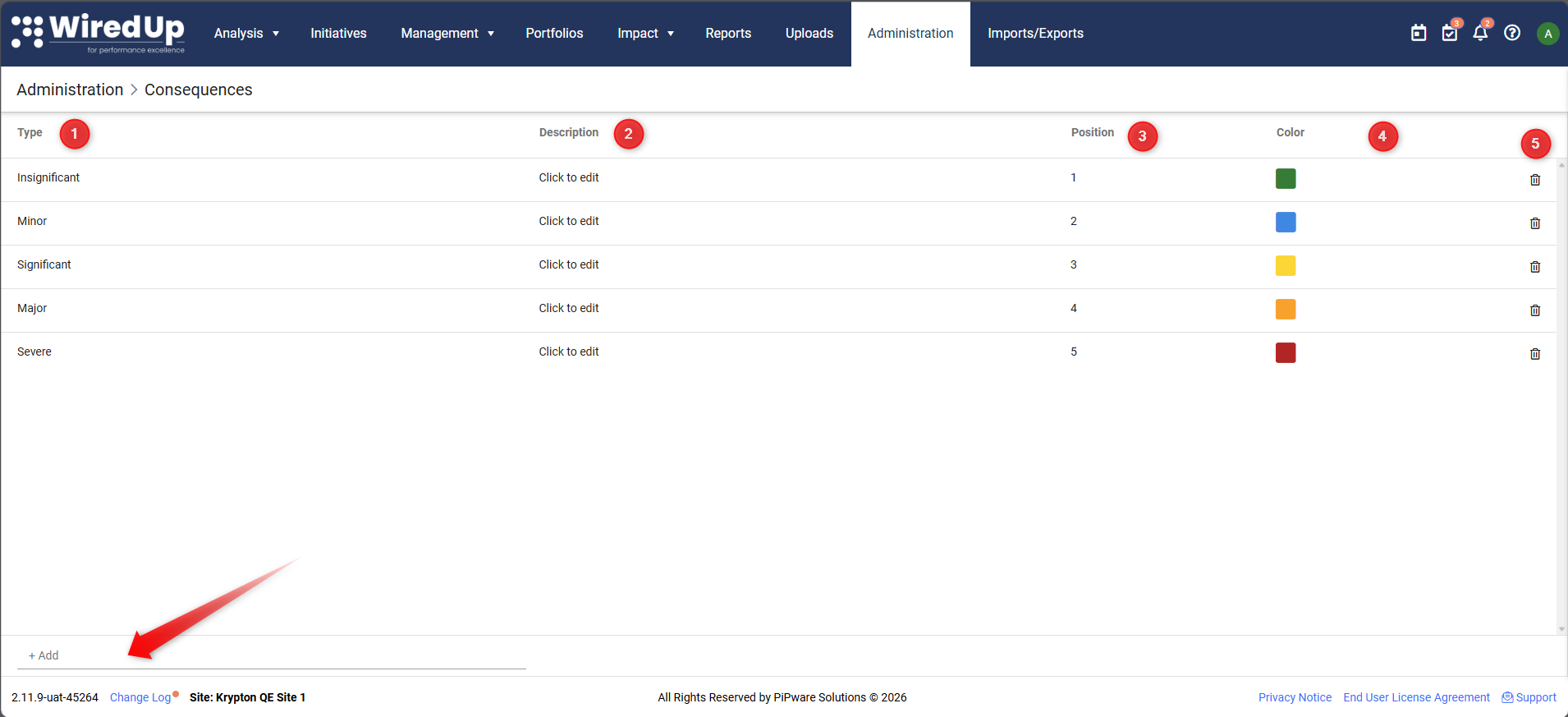
- Change the Risk Consequence name under Type
- Input/Edit the Risk Consequence Description
- Adjust the positioning of each risk consequence item
- Adjust the color coding
- Remove a consequence from the list
You can add a new risk consequence item by typing the consequence name on the +Add field