
Issue Description
Users may encounter a situation where the improvement value displayed on the Idea Value Driver Tree (VDT) does not match the improvement value shown elsewhere in the system (e.g., on the Initiative Overview page, reports, or other views).
Symptoms
- The improvement value on the VDT differs from the value displayed on other system pages
- Financial or benefit values appear inconsistent between the VDT and Initiative Overview
- Data synchronization appears to be incomplete
Affected Areas
- Idea/Initiative Value Driver Tree (VDT)
- Idea/Initiative Overview page
- Idea List/Card View
- Dashboard Widgets
- Financial tracking and reporting
Resolution
To resolve this issue, follow these steps:
- Navigate to the Idea/Initiative VDT for the affected initiative
- Switch to Edit Mode and add a node to the VDT structure
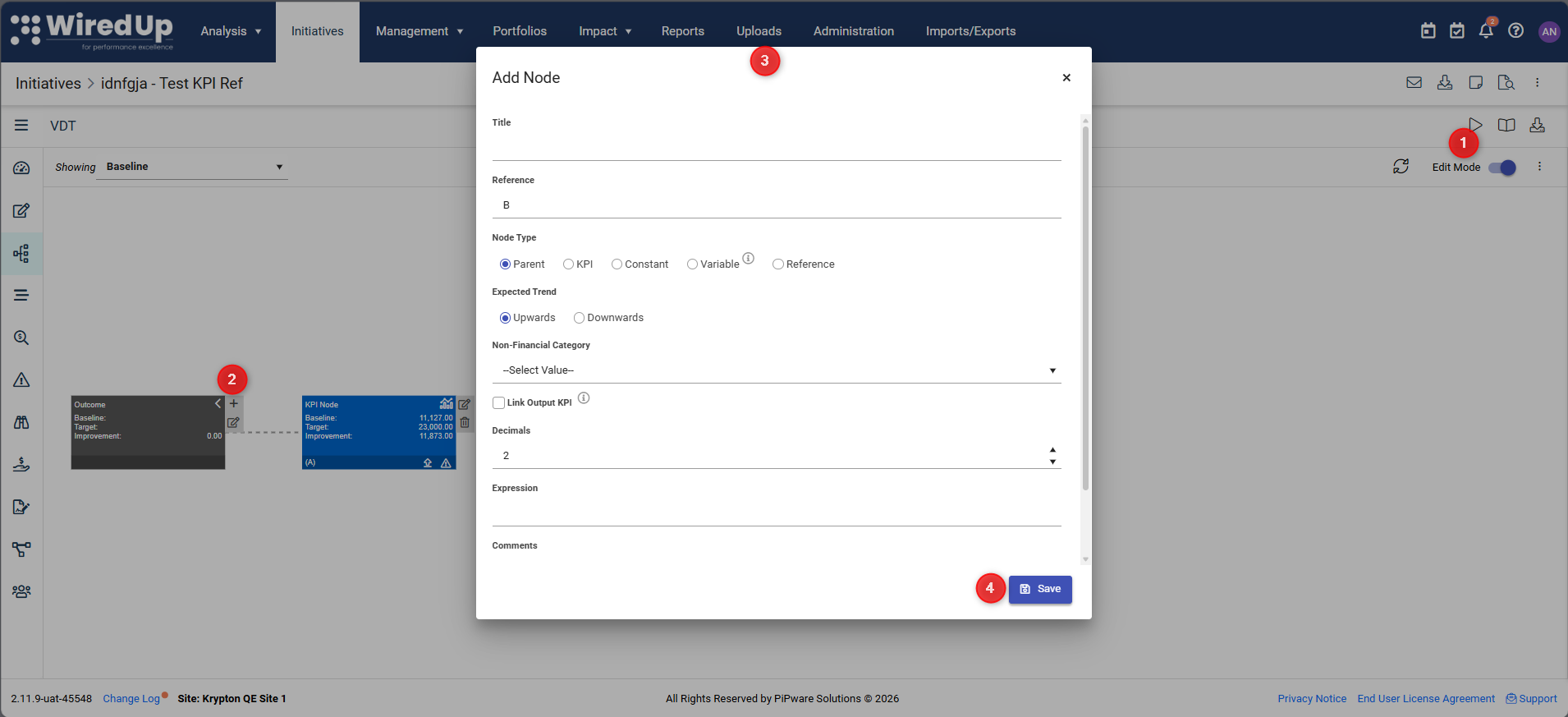
- Select a parent node in the VDT
- Add a new child node
- Enter the required information for the node then click Save
- Still on Edit mode, select the Delete icon located next to the node to delete the node
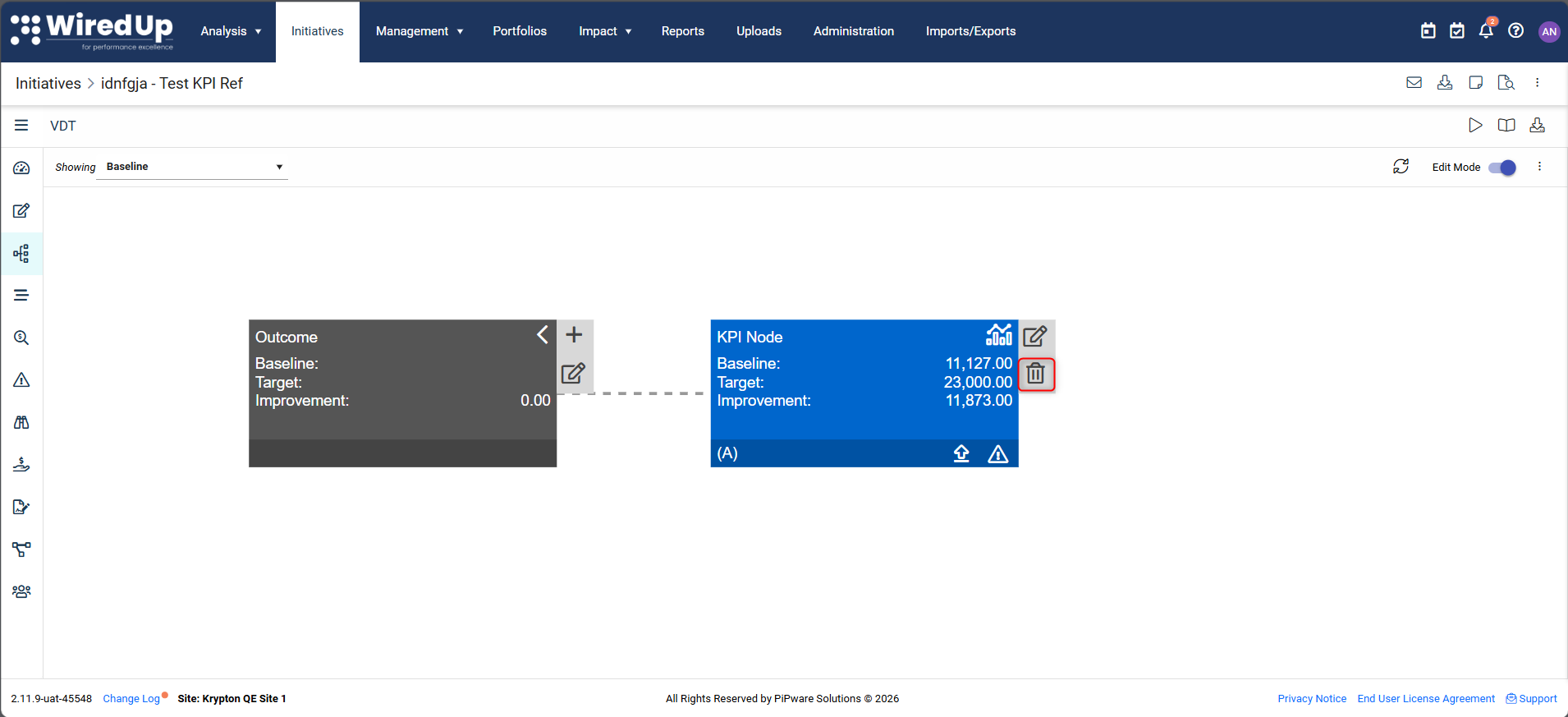
- Verify the values are now synchronized
- Check that the improvement value on the VDT matches the system value
- Refresh the page if necessary
Need Further Assistance?
If the issue persists after following these steps, please contact the WiredUp Support Team at support@wiredup.global with:
- Initiative name and code
- Screenshots showing the value mismatch
- Details of any recent changes made to the initiative