
Overview
When a KPI linked to an Idea/Initiatives displays the status "Not Up To Date", this does not necessarily indicate an issue with the KPI configuration or calculation. In many cases, the status is temporarily displayed while the system processes recent updates.
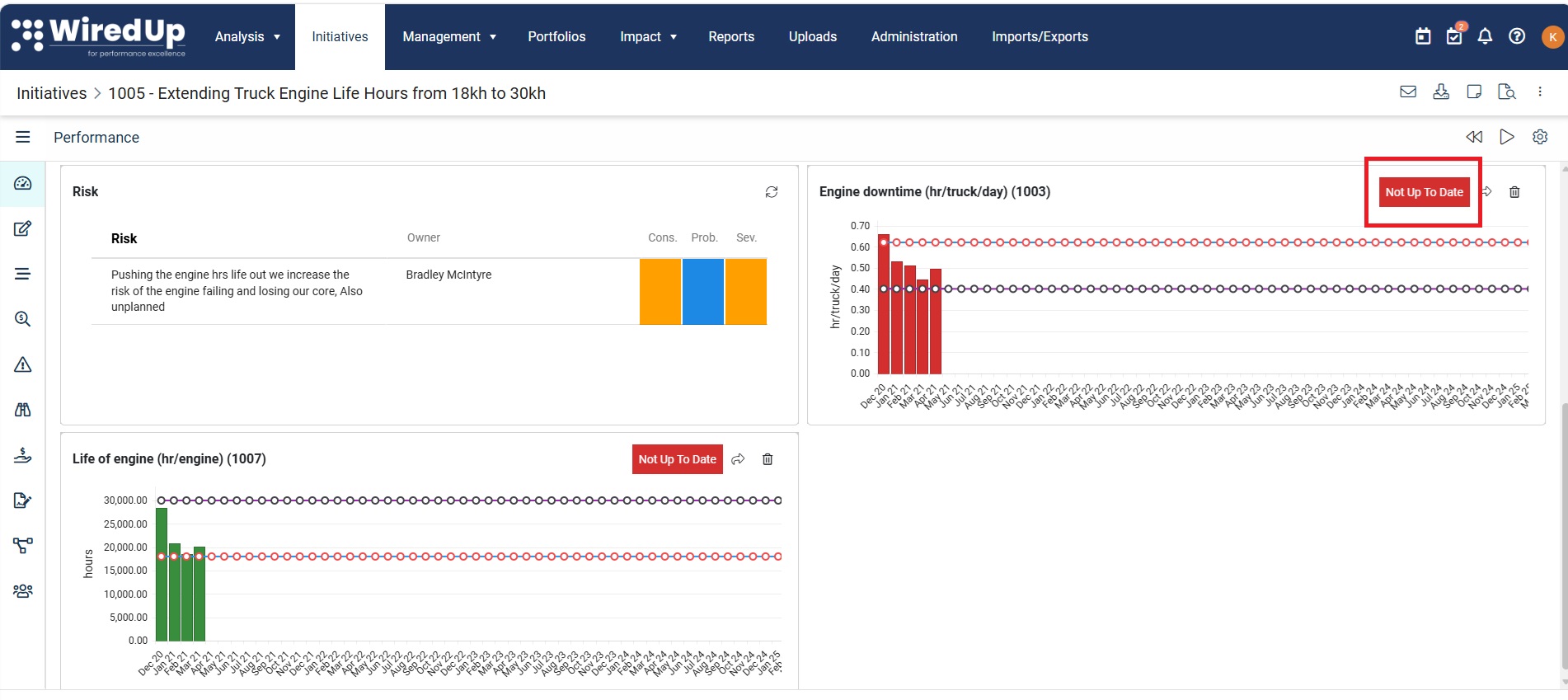
Why Does This Happen?
The WiredUp platform performs KPI calculations and status refreshes in the background. After updating KPI values, Idea/Initiative VDTs, or related configurations, it can take a short period for the changes to be reflected across all areas of the system. The platform includes automatic background calculations and updates to keep KPI values current.
Expected Refresh Time
Please allow up to 10 minutes for the KPI status to refresh and display the latest information.
During this period, the KPI may continue to show "Not Up To Date" even though the update has been successfully saved.
Recommended Action
If a KPI displays "Not Up To Date":
- Wait approximately 10 minutes for the background processing to complete.
- Refresh the page and review the Idea/Initiatives again.
- Confirm whether the KPI status has updated accordingly.
If the Status Does Not Update
If the KPI still shows "Not Up To Date" after waiting more than 10 minutes:
- Verify that the KPI values were saved successfully.
- Check whether all required KPI data has been entered.
- Contact the support team for further investigation if the issue persists.