
In This Article
Exporting Analysis Results from Value Hound
Private vs Public Value Driver Trees
Overview
WiredUP allows you to export Value Driver Trees and analysis results for use outside the platform. Exporting is typically used to support reporting, presentations, and offline analysis.
This article explains where to export from and what outputs are available.
What Can Be Exported
You can export:
- Value Driver Tree structures and values
- Sensitivity Analysis results
- Attribution Analysis results
- Variance Analysis results
Exports reflect the current view and settings at the time of export.
Exporting a Value Driver Tree
To export a Value Driver Tree: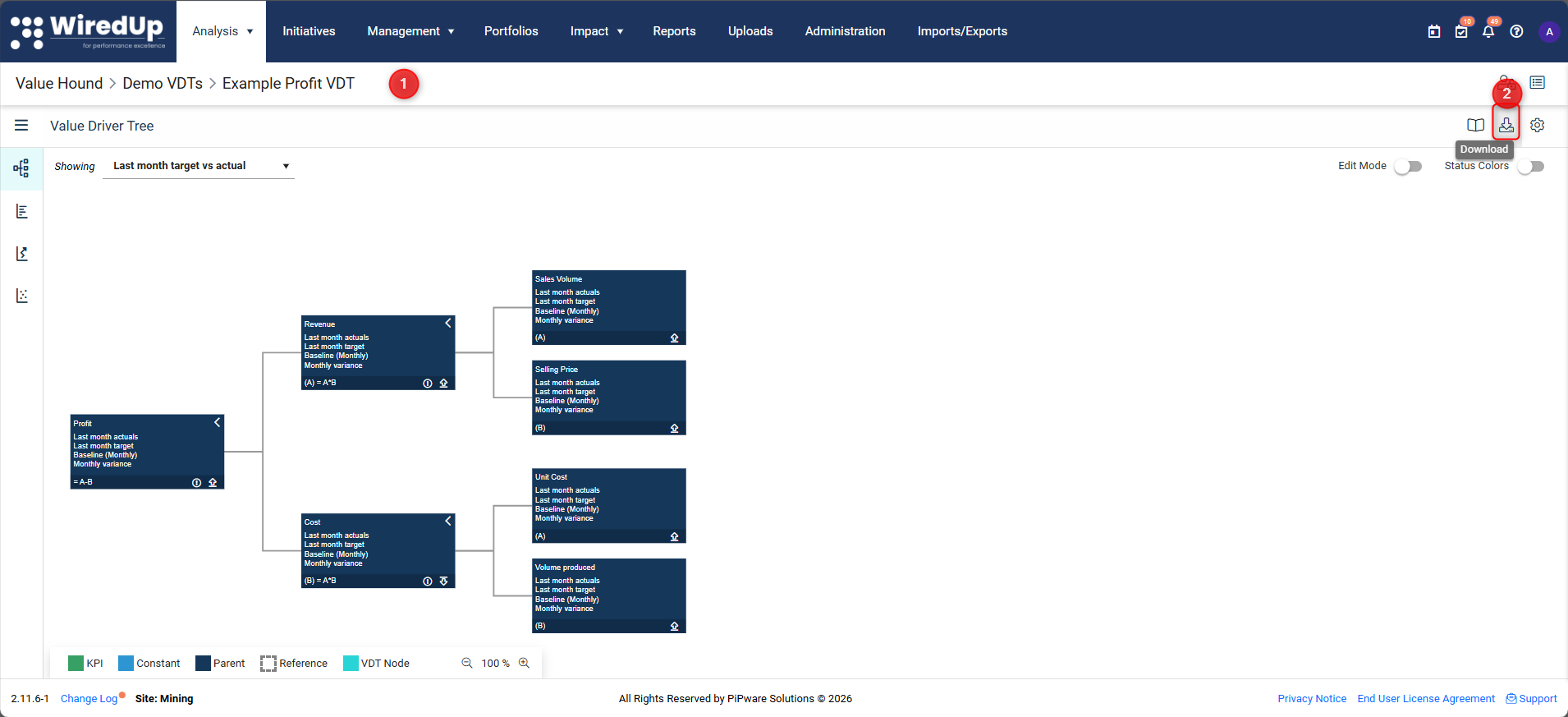
- Open the Value Driver Tree
- Select the Download icon in the toolbar
- The file will automatically download upon clicking
The exported file includes:
- Tree structure
- Node values for the selected view
- Calculated results at the time of export
Exporting Analysis Results from Value Hound
Each Value Hound analysis type includes export options.
To export analysis results:
- Open the Value Driver Tree list
- Navigate to the required analysis tab:
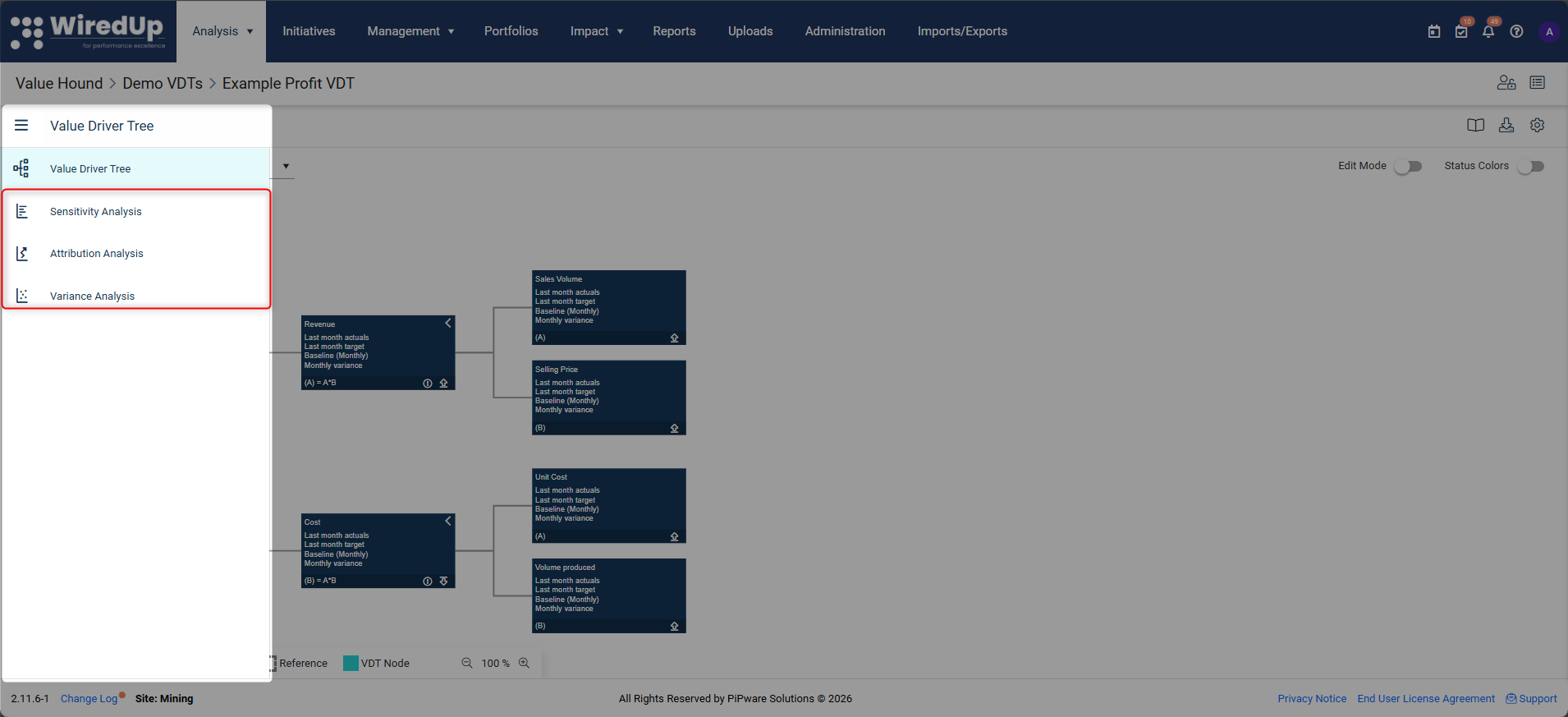
- Sensitivity
- Attribution
- Variance
- Run the analysis with the desired settings
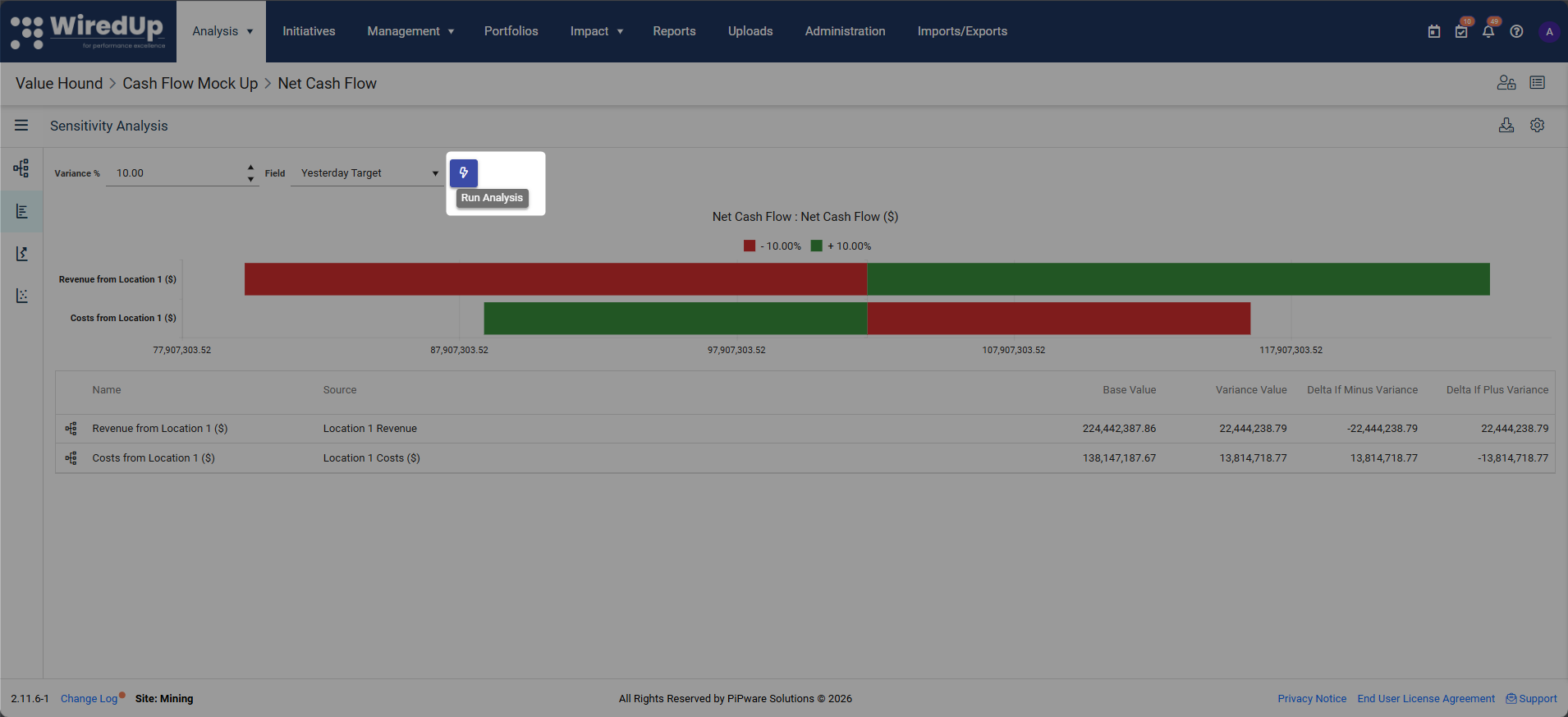
- Select the Download icon in the analysis view
Exports typically include:
- Charts (where supported)
- Tabular results underlying the chart
- Applied settings (such as fields or variances)
Reporting Considerations
When exporting results:
- Ensure the correct view and field selection is applied
- Confirm the analysis settings reflect the scenario being reported
- Be aware that exports are static snapshots
Changes made in WiredUP after export are not reflected in exported files.
Private vs Public Value Driver Trees
Value Driver Trees can be set as private or public, which controls who can see and use them within WiredUP.
- Private Value Driver Trees are only visible to the creator and users with explicit access. These are typically used for draft work or individual analysis.
- Public Value Driver Trees are visible to all users who have permission to view Value Driver Trees and are intended for shared use and collaboration.
Only users with the appropriate permissions can change a tree's access setting.

Access settings affect who can see and analyse a Value Driver Tree, not how results are exported.
Common Export Questions
"Why does my export look different from what someone else sees?"
Exports reflect the current user's view, settings, and access scope.
"Can exported files be re-imported?"
Exported analysis outputs are for reporting only and cannot be re-imported as models.
"Do exports update automatically?"
No. All exports are static and must be regenerated when data changes.
What Happens Next
You should now be able to:
- Export Value Driver Trees
- Export analysis outputs from Value Hound
- Share results externally with confidence
The next article explains how WiredUP supports versioning and change control to manage updates over time.
Next Steps
To learn about versioning and change control, see: